What an AI Video Editor Does With the Footage of Your Shed Build
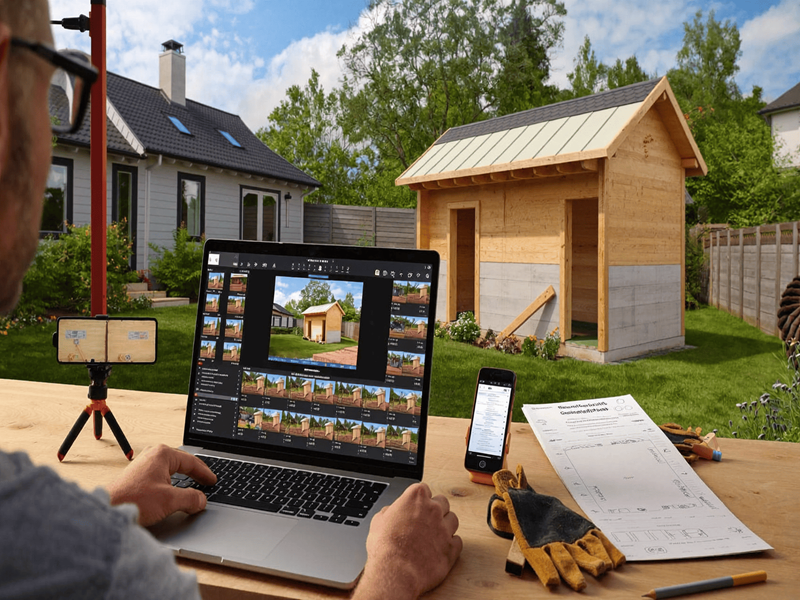
Almost nobody films their shed build, and the people who wish they had are always the ones who needed it eighteen months later.
A warranty claim gets declined because nobody can show how the fixings went in. An insurer wants evidence of what was in the shed before the fire. A builder disagrees about what was agreed at slab stage and there is nothing but two memories and an invoice.
The build happens once. The footage costs nothing to gather while it is happening and is impossible to gather afterwards.
An AI Video Editor with advanced editing features from Higgsfield makes recorded footage easier to refine and reuse. This removes much of the effort involved in post-production, allowing creators to focus on gathering useful footage first.
What Is the Footage Actually For?
Four things, and only one of them is sentimental.
- Warranty claims, where manufacturers require correct installation
- Insurance, both for the building and for what goes in it
- Compliance, where a certifier or council needs evidence of stages
- Disputes, which is where the money actually is
The dispute case is the one worth planning for. Disagreements between owners and builders are common, they turn on what was done and when, and the party with dated footage is in a considerably stronger position than the party without.
None of this requires anything beyond a phone. An AI Video Editor afterwards turns an hour of shaky clips into something somebody will actually watch.
What Voids a Steel Shed Warranty?
More than people expect, and most of it happens during the build.
Steel cladding warranties carry conditions, and the common breaches are things that occur in a single afternoon and are invisible a year later.
- Swarf left on the roof, meaning drilling and cutting filings that rust and pit the coating
- Contact with incompatible metals, including copper and lead, which attacks the coating
- Drainage from incompatible materials running onto the sheeting
- Proximity to the coast beyond what the warranty covers
- Fixings that are not what the specification requires
The swarf point is the classic. A roof swept at the end of each day is fine. A roof left with filings on it through one rain event develops rust spots that look like a product failure and are not covered.
Film the sweep. It takes twenty seconds and it is the evidence that the thing that caused the rust did not happen.
Keep an AI Video Editor copy of every fixing detail too, since the specification question comes up in almost every declined claim.
What About the Frame and Cladding?
The connections, which are what fails and what gets argued about.
- Bracket placement at apex, knee and footing
- Bolts and fixings, including that they were torqued
- Bracing, in position, before it gets covered
- Flashing laps and sealant, which is where water gets in
- Screw spacing on the cladding, which the specification sets
An AI Video Editor pass makes a long walkaround watchable by cutting it into stages, which matters if you ever need to send it to somebody who will not watch forty minutes.
The flashing detail is worth particular attention. Water ingress is the most common complaint about steel sheds, the cause is almost always a flashing or a penetration, and footage of how it was done either settles the argument or starts it.
Film before anything gets covered. Once the cladding is on, half of it is gone.
Does Any of This Apply to a Kit Build?
It applies more, because a kit build puts the installation responsibility on the owner.
A supplied kit comes with instructions, a specification and a warranty that depends on the kit being assembled as specified. An owner-builder who deviates and later makes a claim has a harder conversation than one who did not.
What matters particularly on a kit:
- The delivery, filmed on arrival, including anything damaged in transit
- The component count against the manifest, before the truck leaves
- Each connection type the instructions specify, as it is made
- Anything substituted, including fixings bought locally
- The engineering documentation, filmed alongside the build it describes
The delivery damage point catches people out regularly. A dented sheet noticed three weeks later is a dispute about who damaged it, and a dented sheet filmed coming off the truck is a replacement.
Count the components before signing. Missing items discovered at frame stage hold up the whole build, and the time to raise them is while the delivery driver is still there.
An AI Video Editor summary of the kit assembly is also genuinely useful to the next owner, who will have no instructions and no idea what is behind the cladding.
Why Does This Matter for Insurance?
Because a claim after a loss depends on evidence that no longer exists.
After a fire or a flood, an insurer asks what was there and what condition it was in. An owner with dated footage of the shed and its contents answers that in minutes. An owner without it is reconstructing from memory and receipts.
- Film the contents periodically, not just at handover
- Capture serial numbers on anything valuable before it reaches Higgsfield
- Record the condition of the building each year
- Keep an AI Video Editor summary somewhere off-site
- Update after anything significant changes
The off-site point is the one people miss. Footage stored only on a phone kept in the shed is footage that burns with the shed.
For anybody in a bushfire area, the ember seal and flashing installation footage is worth keeping specifically. Insurers increasingly ask about mitigation, and showing what was installed and how is considerably better than saying so.
What Must Never Be Altered?
Anything going to an insurer, a certifier or a court.
- Never alter footage submitted for a claim
- Never produce footage of work that was not done
- Never change a date, in the file or spoken
- Never remove something visible in the frame
- Never use an AI Video Editor to improve what the work actually looked like
Correcting exposure so a dark corner is visible is handling. Changing what is in the frame is something else entirely, and material submitted to an insurer that has been altered is fraud rather than a technical breach.
Keep the originals, untouched, separately from anything Higgsfield touched. If the question ever arises, the raw files are the answer.
That separation costs nothing and is the difference between evidence and a problem.
What Does a Builder’s Dispute Actually Need?
Dates, sequence and conditions, in that order.
- When each stage happened, which the footage establishes
- What was done, visibly, rather than described
- What the weather was, particularly around a pour
- What was agreed on site, where that was verbal
- What the AI Video Editor record shows across the whole build
That fourth point is where most disputes live. Verbal variations agreed on site are extremely common and almost never written down, and a clip of the conversation happening is worth a great deal when memories diverge.
Ask before recording anybody. Most tradespeople have no objection to a job being documented and some prefer it, since it protects them from being blamed for somebody else’s work.
The ones who object to being filmed are worth noticing.
What Should Be Filmed Before the Slab?
Everything, because it disappears under concrete.
- The site as it was, including levels, drainage and existing vegetation
- Excavation, and anything found in it including rock, fill or services
- Formwork and reinforcement, placed and tied, before the pour
- Conduit and plumbing penetrations, in position, measured from a fixed point
- The pour itself, with the date and the weather
The conduit footage is the one owners thank themselves for. Knowing exactly where services run under a slab, measured from a corner, saves drilling into something expensive later.
What is under the slab is also what the site investigation stage is for, and filming what was found there gives you a record of why the slab was designed the way it was.
Say the date out loud on each clip, since an AI Video Editor strips nothing from the audio. The file metadata holds it too, and a spoken date survives copying, compression and being sent to somebody else.
How Much Filming Is Actually Needed?
Less than people fear, and at specific moments rather than continuously.
- Ten minutes at each stage, rather than hours
- Before anything gets covered, which is the governing rule
- Close enough to see detail, which means getting up on the scaffold
- In landscape, since this is documentation rather than social content
- With something for scale in the frame where measurements matter
The getting-closer point is where most attempts fail. Footage shot from thirty metres away showing a shed being built proves a shed was built and nothing else. The useful footage is close enough to see a bracket.
An AI Video Editor cannot recover detail that was never captured, which is the same rule as everywhere else in this.
How Should It All Be Organised?
By stage, named so it means something, in two places.
- Name clips by stage and date before they reach an AI Video Editor, not by whatever the phone called them
- Keep the raw footage untouched and complete, outside any AI Video Editor project
- Store a copy off-site, which is the whole point
- Build a Higgsfield summary of each stage for sharing
- Note what each clip shows, in a line, while you remember
The naming step is the one everybody skips and everybody regrets. Four hundred clips called IMG_4471 is an archive nobody can use, and the question arrives three years later when nothing is fresh.
A Higgsfield project holding the stage summaries alongside a cloud folder with the raw files covers both needs without anybody becoming an archivist.
Is the Finished Video Worth Making?
For resale, genuinely yes.
A documented build is a selling point for a rural or acreage property, and most buyers have never seen how a shed goes together. A short piece showing the slab, the frame and the finish communicates quality in a way a description cannot.
- Keep it short, under three minutes
- Show the stages rather than everything
- Include the specification on screen, since buyers ask
- Use an AI Video Editor to even out footage shot across months
- Keep the full record separately for the actual purposes
The specification on screen is the part agents appreciate. Span, height, cladding, slab thickness, bay spacing. Buyers comparing properties want those numbers and usually cannot get them.
A build nobody documented is a build the next owner has to take on trust.
What Would One Build Take?
About two hours of filming across the whole project.
- Site and excavation, ten minutes into the AI Video Editor project
- Before the pour, fifteen minutes, including conduit positions
- Frame and connections, twenty minutes
- Cladding and flashings, twenty minutes, close up
- Seals and penetrations, ten minutes
- Finished building and contents, twenty minutes, run through an AI Video Editor afterwards
- Process it in Higgsfield and store the Higgsfield output off-site
Two hours against a build that costs tens of thousands and is meant to stand for forty years.
The before-the-pour fifteen minutes is the single highest-value quarter hour in the whole project.
FAQ’s
Why bother filming a build?
Warranty claims, insurance, compliance and disputes. All four depend on evidence that cannot be gathered after the fact.
What voids a cladding warranty?
Swarf left on the roof, contact with incompatible metals like copper and lead, drainage from incompatible materials, and fixings outside specification.
What is the most important footage?
Everything before the slab pour, particularly conduit positions measured from a fixed point. It is under concrete forever afterwards.
Can an AI Video Editor be used on footage for a claim?
For exposure and assembly, yes. Never to change what is in the frame. Keep the raw originals separately and untouched.
Should tradespeople be asked before filming?
Yes, every time. Most have no objection and some prefer a documented job. The ones who object are worth noticing.
Is there a free way to try the editing side?
Higgsfield operates a free tier as part of an AI creative suite, which covers processing a stage of footage before committing.
Conclusion
A shed build takes a few weeks and is meant to last decades, and the evidence of how it was done exists for exactly those few weeks.
An AI Video Editor turns phone footage into something usable and shareable, and Higgsfield runs it in a browser rather than needing anything installed.
Film before anything gets covered, sweep the swarf and film that too, and store a copy somewhere other than the shed. Two hours over the whole build, and the fifteen minutes before the pour is the part you will be glad of.