From Shed Photo to Workshop Film with Seedance 3.0 AI Video Generator
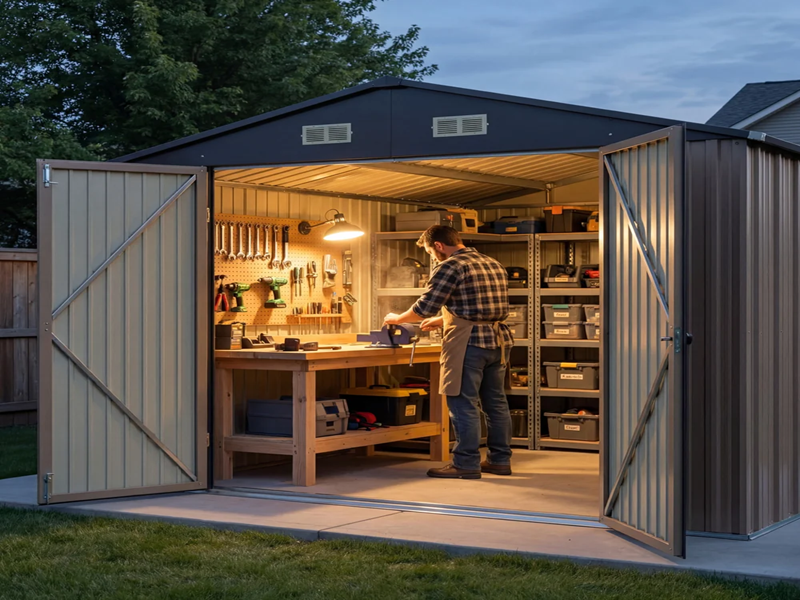
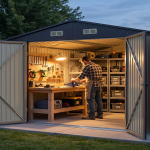
Morning light reaches the back wall of a small steel shed, catching the edge of an empty workbench. The roller door frames a strip of garden outside. I would use that ordinary view as the starting point for a proposed workshop concept film, showing how a quiet hobby space could feel without pretending to demonstrate a real building project.
The imagined brief would be a short video for someone considering the atmosphere of a future workshop. The film would move from the open doorway to the bench and finish on a neatly arranged timber project. Its purpose would be visual communication. Measurements, structural decisions, electrical work and actual construction would remain outside the generated sequence.
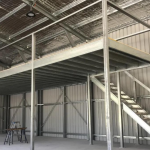
I would gather a clear photograph of the shed interior, a permitted reference showing the desired bench appearance, and a simple camera movement example. The interior photograph would matter most because it establishes the roof, wall ribs and doorway. Keeping those recognisable would make the concept feel connected to one shed rather than a collection of unrelated workshop images.
For the moving scenes, I would explore Seedance 3.0 AI Video Generator. The website describes text-to-video, image-to-video and multi-reference video workflows, including image, video and audio inputs. Here I would use those inputs to direct the look and movement of an illustrative workshop film. I would not ask the video model to calculate a layout or produce a building plan.
Give the shed a clear visual identity
My first decision would be where the daylight enters. If the source photo shows an open roller door at the front, I would keep that as the main light source. The back wall could stay slightly darker, with the bench catching a soft band of light. Brightening every corner equally would remove the depth that makes a small shed feel like a real space.
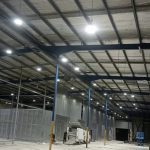
The materials would remain modest: ribbed steel walls, a timber bench and a concrete floor. I would describe their colours and positions in the prompt for Seedance 3.0 AI Video Generator. The model would receive one main room reference rather than several incompatible interiors. A reference from a large commercial workshop might encourage proportions that do not belong in this small hobby shed.
I would leave heavy machinery out of the scene. A simple timber box on the bench would be enough to communicate a practical hobby. The video could show the finished object and the room around it without illustrating a potentially misleading tool operation. This keeps the creative focus on light, storage and the feeling of entering a prepared workspace.
Make the first move easy to follow
The opening camera would begin just inside the roller door, looking towards the bench. A slow sideways move would reveal the wall and the clear floor beside it. I would avoid a fast walk through the entire shed. A small movement gives the viewer time to understand the room and reduces the temptation to invent unseen corners.
A possible direction would read: “Illustrative concept video of a small steel hobby shed. Use the supplied room image for the wall ribs, roof and open roller door. Move slowly sideways from just inside the entrance towards a timber workbench. Soft morning light comes from the doorway. Preserve the room proportions. No people operating tools, no added windows, no text.”
In Seedance 3.0 AI Video Generator, the movement reference would describe the camera pace rather than the room design. I would say that explicitly. If the resulting move becomes too wide and reveals a new window, I would narrow the travel and strengthen the instruction to retain the reference walls. A shorter, clearer shot would serve this project better than a more ambitious tour.
Let the bench provide the close detail
The second shot would show the timber box resting on the bench, with a little light along its lid. I would choose a simple object whose shape can be understood at a glance. The camera could approach slightly, but the box would remain still. I would not need a hand opening it to communicate the idea of a welcoming workshop.
The same bench reference would guide this closer view in Seedance 3.0 AI Video Generator. I would carry across the direction of the morning light and the colour of the wall behind it. Those details connect the close shot to the opening even when most of the shed is out of frame. The object should feel located in the room, not photographed in a different studio.
If the bench legs change position or the timber box becomes a different shape, I would revise the affected shot. A more limited angle, fewer objects and clearer reference roles could help. I would compare the new clip with the opening at the point where they will be cut together. Continuity matters most where the viewer expects one shot to complete the previous view.
Build a soundscape for a quiet morning
The sound brief would contain a light outdoor breeze and a subdued interior ambience. The website describes generating sound with video and using audio references, so I could include a permitted recording that communicates the calm pace. I would avoid adding a loud saw or hammering when no such action appears. Sound should make the shed feel occupied by possibility, not imply work the film never shows.
For Seedance 3.0 AI Video Generator, I would describe the room as quiet, with the doorway connecting it to the garden. If the generated audio becomes too busy, I would reduce the instruction to a soft ambient bed. A separate voiceover, recorded later, could describe the concept without trying to make a generated person deliver exact wording.
Finish on a useful view of the space
The ending would return to the doorway angle, with the bench and timber box visible together. I would add a small concept-visualisation label in an external video editor. Any real dimensions or product details would come from verified project information and be typeset separately. The generated scene would remain an impression of a proposed use, not evidence that the shed has been built or fitted out.
I would check the current plan and displayed generation cost before making variations, then reserve a little budget for the opening camera move. That shot establishes the room, so correcting a drifting wall line would be more valuable than producing several alternative bench decorations. The final edit could stay short, with each shot adding something distinct.
Seedance 3.0 AI Video Generator would contribute the moving imagery for this modest workshop story. The creative aim would be a coherent journey from doorway to bench and back again, using consistent materials, gentle light and restrained sound. A viewer should finish with a clear picture of the proposed atmosphere and a useful visual reference for further discussion about the real shed.