Refinement Over Randomness: Production Workflows for Agency-Scale AI Assets
The scenario is familiar to any creative lead in a high-volume agency. You have a client mood board that demands a very specific aesthetic—perhaps “Scandinavian minimalism meets cyberpunk neon”—and a deadline that doesn’t allow for a week of bespoke 3D rendering. You turn to generative tools, hoping for a shortcut. You type a prompt, and the first result is stunning. It’s exactly the vibe. Then you try to generate a second asset in the same series, and the lighting is off. The third asset introduces a character who looks nothing like the first. By the fifth iteration, you realize you aren’t saving time; you are fighting a machine that has no concept of brand continuity.
This is the “prompt-and-pray” trap. For hobbyists, a lucky roll is a win. For an agency delivering a cohesive campaign across social, web, and print, a lucky roll is a liability. Moving from experimental curiosity to production-grade output requires a shift in mindset: treating AI as a raw material that must be refined through a structured workflow rather than a finished product delivered by a chatbot.
The ‘Last Mile’ Problem in Generative Production
The gap between a generated image and a “usable asset” is what we call the last mile problem. In an agency environment, an image is rarely used exactly as it comes out of the model. It needs to fit a specific aspect ratio without losing key compositional elements. It needs to accommodate copy overlays. Most importantly, it must adhere to brand-specific color palettes and “logic.”
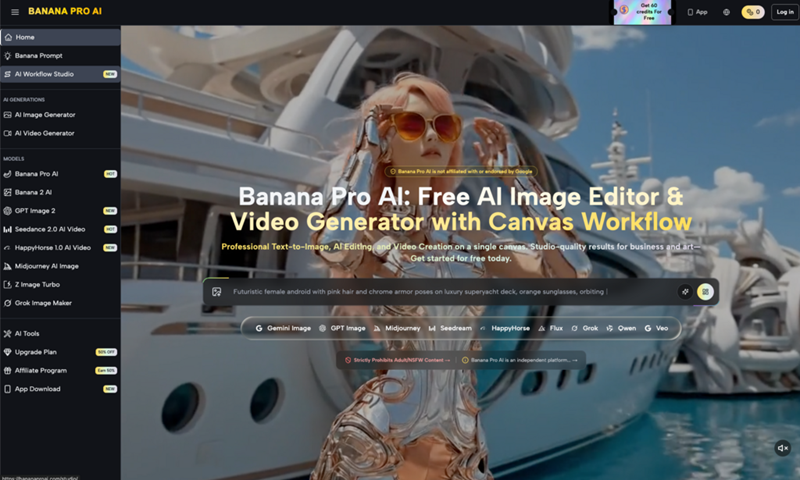
When you use high-performance models like Nano Banana Pro, the initial quality is often high enough to fool the eye, but it may still fail the brand precision test. A luxury jewelry brand, for instance, cannot have a “hallucinated” clasp on a necklace or lighting that suggests a cheap studio setup. Raw AI generations frequently struggle with these minute details. If your team spends four hours in Photoshop “fixing” an AI image, the efficiency gains of using Banana AI in the first place begin to evaporate.
The shift toward a professional pipeline involves recognizing that a single prompt cannot handle complex environmental, character, and lighting requirements simultaneously. Agencies must move toward a decoupled workflow: using one process to establish the “DNA” of the campaign and another to surgically correct the inevitable artifacts that occur during generation.
Standardizing the Foundation with Nano Banana Pro
The first step in a professional workflow is establishing a stylistic anchor. This is where you set the global variables for your project: the color temperature, the depth of field, and the texture density. Using a stable base model allows a team to generate a series of images that feel like they were shot on the same day with the same camera.
When working with Nano Banana, the goal isn’t to get the perfect image on the first try, but to find a “seed” or a prompt structure that consistently produces the correct atmosphere. For a campaign, we recommend creating a “master prompt” that includes fixed stylistic keywords—things like “shot on 35mm,” “Kodak Portra 400 aesthetics,” or specific hex-code-adjacent lighting descriptions.
One limitation we frequently encounter at this stage is the “consistency drift.” Even with identical prompts, AI models can occasionally veer into different artistic interpretations. To mitigate this, production teams should leverage image-to-image features early on. By feeding a successful base image back into the system as a reference, you force the model to stay within the established visual boundaries of the project. This ensures that the Nano Banana Pro outputs aren’t just high-quality in isolation, but are harmonious as a collection.
Surgical Iteration via the AI Image Editor
Once the foundational assets are generated, the focus shifts to precision. This is where the workflow often breaks down for teams using basic tools. Re-rolling a prompt because a hand has six fingers or a product logo is slightly skewed is an amateur move. It’s inefficient and risks losing the 95% of the image that was actually correct.
The professional approach utilizes an AI Image Editor that allows for localized manipulation. If the composition of a shot is perfect but the background is too busy for the planned text overlay, a canvas-based editor allows the team to “inpaint” or mask out the noise. This is surgical iteration: you keep the parts that work and discard the parts that don’t.
In a recent campaign workflow we analyzed, the creative team used the editor to adjust lighting on a subject’s face after the fact. Rather than trying to describe “rim lighting from the left” in a complex prompt, they used the editor’s brush tools to suggest the light source, then let the AI refine the texture. This hybrid approach—human-guided intent followed by AI-assisted rendering—is what separates “AI art” from professional asset production.
There is an inherent uncertainty here, however. Not every “fix” works on the first pass. Sometimes, the interaction between the existing pixels and the new mask creates “seams” or “halos” that are difficult to scrub. A production-savvy operator knows when to stop trying to fix a generative error and when to pivot to a traditional clone-stamp tool in a legacy app.
Integrating AI Outputs into Legacy Design Pipelines
No AI tool exists in a vacuum. To be “usable,” an asset usually needs to end up in a layout in Figma, a video project in Premiere, or a print-ready file in InDesign. The transition from the Banana Pro ecosystem to these legacy tools is where quality control is most critical.
First, there is the resolution issue. Most generative models output at a size suitable for social media but insufficient for large-format print or 4K video. Upscaling is mandatory, but it must be done with restraint. Over-sharpening during the upscale process can create a “plastic” look that screams “AI-generated.” Agencies should treat the output from the editor as a base plate—a high-quality starting point that will still require a pass of grain, color grading, or sharpening within a professional suite to match the rest of the campaign’s footage or photography.
Furthermore, we suggest a “Layered Thinking” approach. Instead of exporting one final, flattened image, teams should use the AI tools to generate components. Generate the background separately from the subject. Use the editor to create variations of the foreground. This allows for more flexibility during the final composite in Photoshop, where a designer can mask, blend, and adjust the AI elements with the precision of a professional artist.
Boundaries and the Reality of Automated Quality Control
Despite the rapid advancement of these tools, it is vital to acknowledge where the tech currently fails. We have yet to see any generative model, including those in the Banana AI suite, that can handle complex, brand-specific typography with 100% accuracy. If a client has a proprietary font, that typography must be added manually in a vector tool. Attempting to “prompt” a specific font usually results in a mess that looks like a cheap imitation.
There is also the issue of “spatial hallucination.” While an AI tool might generate a beautiful interior of a car, the physical relationship between the steering wheel and the dashboard might be slightly impossible. For high-end automotive or luxury brands, these errors are catastrophic. They suggest a lack of attention to detail that can damage a brand’s reputation for quality.
Currently, we cannot conclude that AI is a “set it and forget it” solution for high-stakes creative. There is a persistent risk of what we call “hallucinated consistency,” where a character appears the same at a glance, but their facial proportions or ear shapes change slightly across five different social tiles. To catch these errors, a human lead must remain the final arbiter of quality.
Automated quality control is improving, but the “eye” of a creative director is still the only thing that can judge if a piece of content feels “right” for the brand’s soul. The goal of using tools like Nano Banana is to remove the mechanical drudgery of asset creation, not to replace the critical judgment that agencies are actually hired for. The future of the agency workflow isn’t just about who has the best prompts; it’s about who has the most disciplined refinement pipeline.